Internet Architecture & Information Literacy
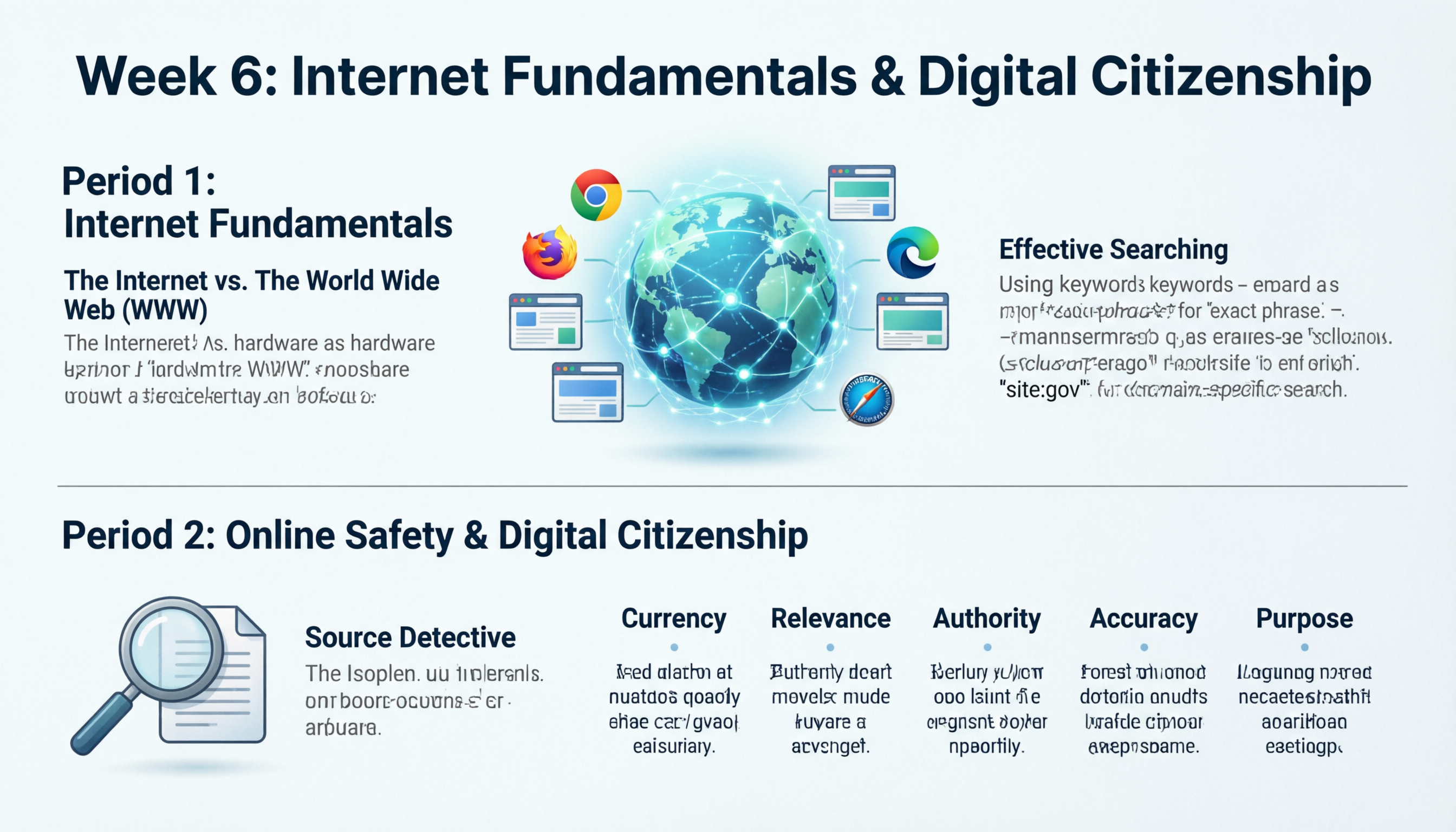
Week 6: Internet Architecture & Information Literacy
Period 1: Internet Fundamentals – Navigation & Search Strategies
Objective: Students will distinguish between internet infrastructure and web services, and master advanced search techniques to improve information retrieval.
Detailed Notes
-
Conceptual Distinctions:
- The Internet (Infrastructure): The physical global network of interconnected computers and cables (the hardware).
- The World Wide Web (Service): The system of interlinked hypertext documents and multimedia content accessed via the internet (the software/information layer).
-
Web Browsers: Software Gateways
- Function: Applications designed to retrieve and display information from the WWW (e.g., Google Chrome, Mozilla Firefox, Microsoft Edge, Apple Safari).
- The Omnibox: Modern browsers have merged the Address Bar and Search Bar into a single input field. Users can type a specific URL (e.g.,
https://www.nasa.gov) or a search query.
-
Search Engines: The Librarians of the Web
- Function: Programs that identify items in a database corresponding to keywords (e.g., Google, Bing, DuckDuckGo).
- Mechanism: Search engines deploy Web Crawlers (bots) to scan the web continuously. These bots index page content. When a user searches, algorithms retrieve and rank results based on relevance and authority.
-
Advanced Search Syntax (Search Operators):
- Keyword Optimization: Use essential terms rather than full sentences.
Example:climate change effects agricultureis more effective than "What are the effects of climate change on agriculture?" - Exact Phrase Matching: Use quotation marks to lock in word order.
Example:"to be or not to be" - Exclusion Operator: Use the minus sign to remove unwanted terms.
Example:jaguar speed -car(Returns results about the animal, filtering out the vehicle). - Domain-Specific Search: Limits results to a specific domain.
Example:site:gov "census data"
- Keyword Optimization: Use essential terms rather than full sentences.
Period 2: Digital Citizenship – Evaluating Information Quality
Objective: To reinforce digital safety principles and equip students with critical evaluation skills to distinguish between credible information and misinformation.
Detailed Notes & Activity
- Review: Brief recap of Week 1 digital safety protocols (password hygiene, personal data protection).
-
Core Concept: Critical Evaluation
- The CRAAP Test: A structured framework for assessing source validity.
- Currency: Timeliness of the information. When was it published or updated?
- Relevance: Importance to the specific research question. Who is the intended audience?
- Authority: Source of the information. What are the author's credentials?
- Accuracy: Reliability and truthfulness. Is it supported by evidence?
- Purpose: Reason the information exists. Is it to inform, sell, entertain, or persuade?
- The CRAAP Test: A structured framework for assessing source validity.
Practical Activity: "The Source Detective"
Setup: Provide students with two distinct URLs regarding the same current event.
- Source A: A well-established, reputable news source (e.g., Reuters, BBC, AP News).
- Source B: A clickbait article, satirical post, or heavily biased blog.
Task: Using the CRAAP Test rubric, students will analyze both sources and write a comparative evaluation.
Output: Students must determine which source is credible and explain why by citing specific failures in the "CRAAP" criteria for the disreputable source (e.g., "The purpose of Source B was to sell a product, creating a bias in accuracy").
Test yourself on Digital Technology
Introduction to Sequencing, Loops, and Simple Animation in Scratch
Track your reading & take quizzes
Create free account