Computer Fundamentals
19 views
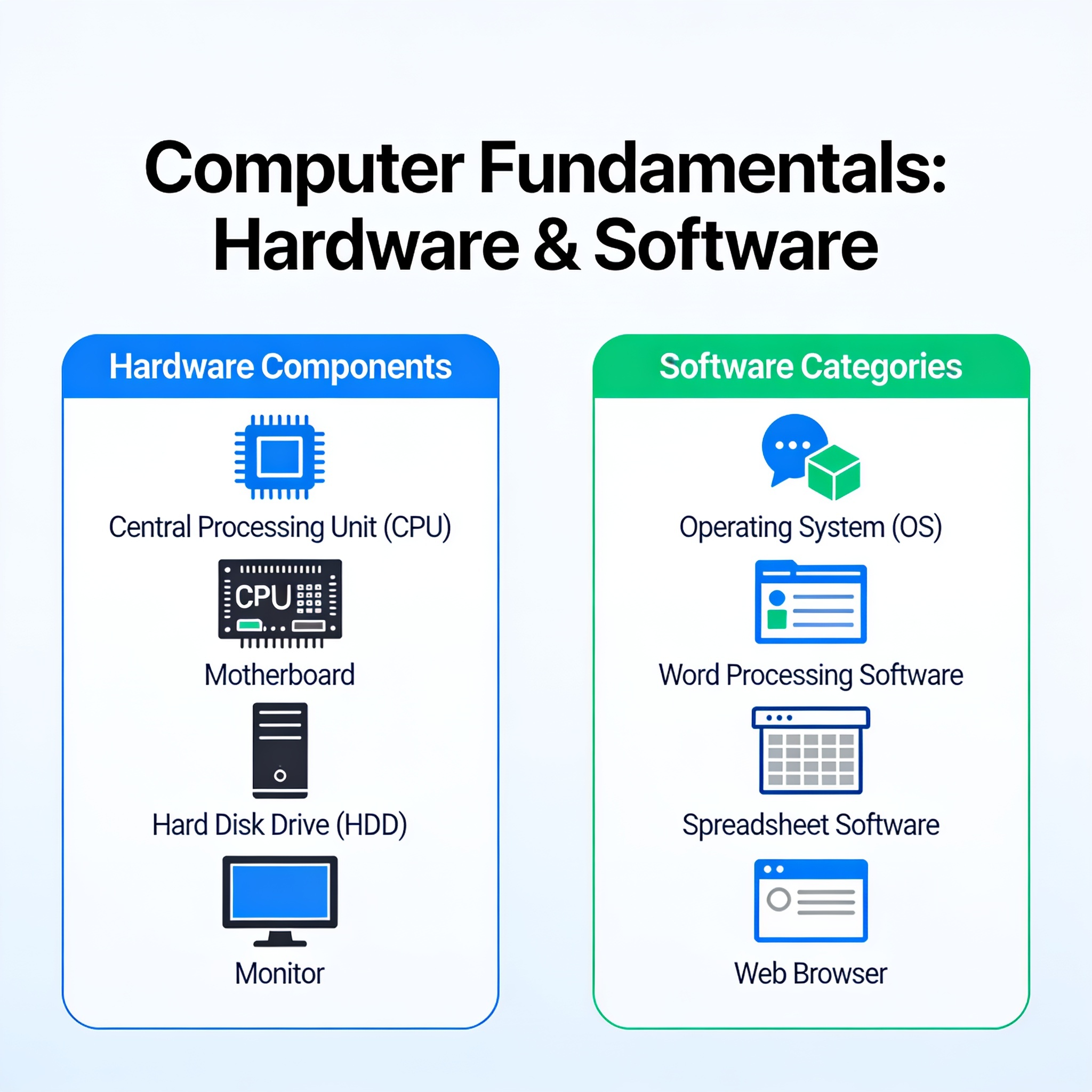
Week 2 Lesson Plan: Computer Fundamentals
Theme: Understanding the Ecosystem of Hardware and Software
Period 1: Core Computer Hardware Components
Learning Objective: By the end of this session, students will be able to identify internal and external hardware components, explain their specific functions, and compare current storage technologies.
1. Key Concepts & Analogies
- Definition: Computer Hardware refers to the tangible, physical parts of a computing system that can be touched and felt.
- The System Unit (The Tower/Casing):
- CPU (Central Processing Unit): Often called the "brain." It performs calculations and executes instructions. Speed is measured in Gigahertz (GHz), while efficiency is increasingly determined by Cores (multi-tasking capability).
Analogy: The conductor of an orchestra; it tells the other instruments when to play. - RAM (Random Access Memory): Short-term memory that stores data currently being used by active applications. It is volatile, meaning data is lost when power is cut. High-speed RAM allows for smoother multitasking.
Analogy: Your desk surface. You keep active projects here. If you clear the desk (shut down), work isn't gone, but you can't access it as quickly until you file it away. - Storage (Secondary Memory): Long-term storage that persists after shutdown.
- HDD (Hard Disk Drive): Uses spinning magnetic platters. Durable for large capacity but slower due to mechanical movement.
- SSD (Solid State Drive): Uses flash chips (no moving parts). Significantly faster read/write speeds, more shock-resistant, and lighter.
- Update Note: Mention NVMe M.2 SSDs as the modern standard for high-performance laptops/PCs.
Analogy: A library or filing cabinet where you store books/files permanently. - Motherboard: The main printed circuit board (PCB). It acts as the backbone, connecting all components and allowing them to communicate via electrical pathways.
Analogy: The nervous system or skeletal structure of the body. - GPU (Graphics Processing Unit): Specialized processor dedicated to rendering images, video, and animations. Essential for gaming, graphic design, and AI processing.
- PSU (Power Supply Unit): Converts alternating current (AC) from the wall into direct current (DC) for internal components.
- Cooling System: Fans and liquid coolers that dissipate heat generated by the CPU/GPU to prevent overheating.
- CPU (Central Processing Unit): Often called the "brain." It performs calculations and executes instructions. Speed is measured in Gigahertz (GHz), while efficiency is increasingly determined by Cores (multi-tasking capability).
2. Peripheral Devices (I/O)
- Input Devices: Allow the user to send data/control signals into the system (e.g., Keyboard, Mouse, Webcam, Microphone, Biometric scanners).
- Output Devices: Translate digital data out into human-readable forms (e.g., Monitor, Printer, Speakers, Headphones).
- Hybrid Devices: Can function as both input and output (e.g., Touchscreens, Network Adapters, USB Flash Drives).
🛠️ Classroom Activity: Visual Assembly
- Board Diagram: Draw the internal architecture of a desktop PC on the whiteboard. Label connections between the CPU, RAM slots, Storage ports (SATA/NVMe), and Power connections.
- Virtual Lab (Optional): Show a short animation demonstrating how electricity flows through the motherboard to power the fans and drive.
- Discussion Question: *"Why do you think laptops have moved away from HDDs toward SSDs?"* (Expected Answer: Durability and speed; lack of moving parts makes it safer for travel).
Period 2: Software Architecture & Operating Systems
Learning Objective: Students will distinguish between system and application software and analyze the critical roles an Operating System (OS) plays in managing computer resources.
1. Key Concepts & Definitions
- Definition: Software consists of intangible instructions, code, and programs that direct hardware to perform specific tasks. Without software, hardware is inert metal and plastic.
- Classification of Software:
- System Software: Manages hardware and provides a platform for apps to run.
- Operating System (OS): Windows, macOS, Linux, Android, iOS.
- Firmware/Drivers: Low-level code embedded in hardware (BIOS/UEFI) or small programs (Device Drivers) that translate OS commands for specific hardware (e.g., a printer driver).
- Application Software (Apps): Programs designed for the end-user to complete specific productivity or entertainment tasks.
- Examples: Word processors (Office), Web Browsers (Chrome), Media Players, Games.
- System Software: Manages hardware and provides a platform for apps to run.
2. Core Functions of an Operating System
- Process Management: Orchestrates CPU time among multiple running programs so they don't crash into each other.
- Memory Management: Ensures every app gets the RAM it needs and prevents software conflicts.
- File System Management: Organizes data storage using logical structures (folders, files) rather than raw sectors (NTFS, APFS, ext4).
- Device Management: Acts as an intermediary via drivers between the OS and hardware peripherals.
- User Interface (UI):
- GUI (Graphical User Interface): Visual icons/windows (standard for most users).
- CLI (Command Line Interface): Text-based commands (standard for servers and developers).
- Security & Permissions: Manages user accounts, encryption, passwords, and firewall settings to protect data.
3. Comparative Analysis: Hardware vs. Software
| Feature | Hardware | Software |
|---|---|---|
| Nature | Tangible / Physical | Intangible / Logical |
| Examples | Monitor, SSD, RAM, Mouse | Windows, Chrome, Photoshop |
| Function | Performs the actual work | Instructs hardware what to do |
| Longevity | Subject to wear and tear | Remains static unless corrupted/updated |
| Lifecycle | Requires physical replacement | Requires installation or patching |
| Dependency | Cannot function without SW | Cannot function without HW |
💡 Teaching Tip: The "Translation Layer"
Explain the concept of the Driver clearly. If the OS speaks English and the Printer speaks French, the Driver is the translator ensuring the command is understood. Without it, the OS doesn't know how to talk to the device.
🚀 Modern Context & Discussion
- Cloud Computing: Briefly discuss how modern software (like Google Docs) relies less on local hardware (SSD space) and more on internet connectivity.
- Updates: Ask students why they must update their operating systems (Security patches, feature improvements, bug fixes).
Recommended Assessment (End of Week 2)
- Quiz: 5 Questions identifying hardware parts and 5 questions defining OS functions.
- Mini-Project: Have students write a paragraph explaining to a non-tech friend what happens when they click a "YouTube Video," linking the actions to CPU, RAM, Storage, and Network Hardware.
Test yourself on Digital Technology
Introduction to Sequencing, Loops, and Simple Animation in Scratch
134 questions
10 min
SSS1
Start quiz
Track your reading & take quizzes
Create free account