Introduction to Python
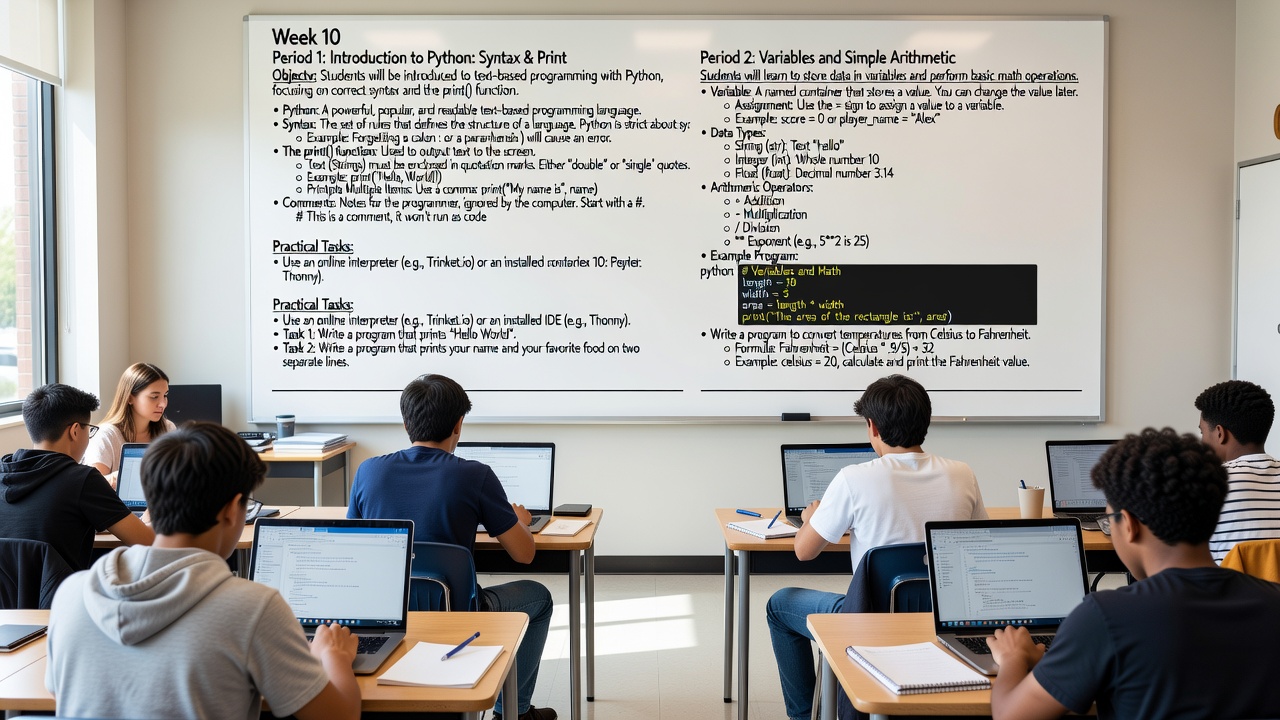
📘 Week 10 — Introduction to Python (Part 1)
🖥️ Period 1: Introduction to Python — Syntax & the Print Function
print() function correctly, and how to write comments in their code.
📝 Detailed Teaching Notes
🔹 What is Python?
- Python is one of the most popular and beginner-friendly programming languages in the world.
- It was created by Guido van Rossum and first released in 1991.
- It is used by companies like Google, Netflix, Instagram, NASA, and Spotify.
- Python is known for being readable — its code often looks almost like plain English, which is why it's a great first language.
- Unlike block-based tools (like Scratch), Python is a text-based language — you type actual code, not drag blocks.
🔹 What is Syntax?
Syntax refers to the grammar and rules of a programming language — just like sentences in English need proper punctuation and structure, Python code must follow strict rules.
Python is very strict about syntax. Even a tiny mistake (like a missing colon or bracket) will stop the program and show an error.
Think of it like spelling in English: "I lke pizza" is understandable but technically wrong. Python won't even try to guess what you meant — it will just give you an error.
| ✅ Correct Syntax | ❌ Incorrect Syntax | Error |
|---|---|---|
print("Hello") |
print("Hello") (missing closing parenthesis) |
SyntaxError: unexpected EOF |
if x > 5: |
if x > 5 (missing colon) |
SyntaxError: invalid syntax |
name = "Ali" |
name "Ali" (missing = sign) |
SyntaxError: invalid syntax |
🔹 The print() Function — Your First Tool
print() is a built-in function that displays text (or values) on the screen.
It is almost always the first thing you learn in any programming language — it's how you "talk back" to the user.
Rules for using print():
- Always use parentheses
( )after the word print. - Text (called Strings) must be wrapped in quotation marks — either double
" "or single' '. - You can print multiple items by separating them with commas
,— Python will add a space between them automatically.
| Code | Output |
|---|---|
print("Hello, World!") |
Hello, World! |
print('I love Python') |
I love Python |
print("My name is", "Sara") |
My name is Sara |
print("Age:", 13) |
Age: 13 |
print("Line 1")print("Line 2") |
Line 1 Line 2 |
print(Hello) will cause an error because Python thinks Hello is a variable name, not text. Always remind them: text needs quotes!
🔹 Comments — Writing Notes for Yourself (and Others)
- Comments are notes written in the code that the computer completely ignores.
- They start with the
#symbol (called a hash or pound sign). - Everything after
#on that line is ignored by Python. - Comments help you (and other programmers) remember what the code does — especially important as programs get longer.
# This is a comment — Python skips this line completely
print("Hello!")  # You can also put a comment after code on the same line

# TODO: Add more features later
# Author: Ahmed — Date: 15/01/2025# Print greeting build a great habit.
🛠️ Practical Task — Period 1
Tools: Use an online interpreter (e.g., trinket.io/python3, replit.com, or programiz.com) OR a desktop IDE like Thonny (recommended for beginners — it highlights errors in red).
| Task | Description | Expected Output |
|---|---|---|
| Task 1 | Write a program that prints Hello, World! |
Hello, World! |
| Task 2 | Write a program that prints your first name and your favorite food on two separate lines. Use two print() statements. |
My name is Omar My favorite food is Mansaf |
| ⭐ Challenge Task | Write a program that prints a simple "self-portrait" using multiple print statements — e.g., name, age, hobby, favorite color — each on its own line. Add a comment at the top with your name and the date. | Name: Sara Age: 12 Hobby: Drawing Favorite Color: Purple |
🖥️ Period 2: Variables and Simple Arithmetic
📝 Detailed Teaching Notes
🔹 What is a Variable?
A variable is like a labeled box or container that holds a value.
You give the box a name (the variable name), put something inside it (the value), and later you can open the box to use or change what's inside.
The = sign is called the assignment operator — it does NOT mean "equals" like in math. It means "put this value into this variable."**
score = 0          # Put the number 0 into a box called "score"
player_name = "Ali"  # Put the text "Ali" into a box called "player_name"
score = 10 # Now change it — the old value (0) is replaced!x = x + 1 makes no sense. In programming, it means: "Take the current value of x, add 1 to it, and store the result back in x." This is extremely common — students will see it a lot.
🔹 Variable Naming Rules (IMPORTANT!)
| ✅ Valid Names | ❌ Invalid Names | Why? |
|---|---|---|
my_name |
my-name |
No hyphens allowed (Python thinks it's a minus sign) |
age13 |
13age |
Cannot start with a number |
player_score |
player score |
No spaces allowed — use underscores _ instead |
_temp |
class |
Cannot use Python keywords (like class, if, print) |
TotalScore |
total score |
Case-sensitive: TotalScore ≠ totalscore |
my_age, total_score, user_name. Teach this early — it's a professional habit.
🔹 Data Types — The Three Main Types (for now)
Every value in Python has a type — it tells Python what kind of data it is and what you can do with it.
| Type | Name | Short Code | Example | What It Is |
|---|---|---|---|---|
| String | str | Text in quotes | "Hello", 'Python', "123" |
Any text — letters, numbers, symbols inside quotes |
| Integer | int | Whole numbers | 10, -5, 0, 1000 |
Numbers with NO decimal point |
| Float | float | Decimal numbers | 3.14, -0.5, 99.99 |
Numbers WITH a decimal point |
"10" (string) is NOT the same as 10 (integer). One is text, one is a number. You can't do math on "10" — but you can on 10.
name = "Sara"       # This is a string (str)
age = 13            # This is an integer (int)
height = 1.55       # This is a float (float)

print(type(name))   # <class 'str'>
print(type(age))    # <class 'int'>
print(type(height)) # <class 'float'>type() function to let students check what type their variables are — it's a great debugging tool and helps them understand types concretely.
🔹 Arithmetic Operators — Doing Math in Python
| Operator | Name | Example | Result |
|---|---|---|---|
+ |
Addition | 5 + 3 |
8 |
- |
Subtraction | 10 - 4 |
6 |
* |
Multiplication | 6 * 7 |
42 |
/ |
Division | 15 / 4 |
3.75 (always gives a float!) |
// |
Floor Division (bonus) | 15 // 4 |
3 (rounds down) |
% |
Modulus / Remainder (bonus) | 15 % 4 |
3 (leftover after division) |
** |
Exponent / Power | 5 ** 2 |
25 (5 squared) |
/ always returns a float, even if the result is a whole number: 10 / 2 gives 5.0, not 5. Use // if you want an integer result.
🔹 Putting It All Together — Example Program
# Rectangle Area Calculator
# Author: Omar — Date: 15/01/2025

length = 10        # integer
width = 5          # integer
area = length * width   # multiplication — result is 50

print("Rectangle Dimensions:")
print("Length:", length)
print("Width:", width)
print("Area:", area)
Output:
Rectangle Dimensions:
Length: 10
Width: 5
Area: 50
🛠️ Practical Task — Period 2
| Task | Description | Hints |
|---|---|---|
| Task 1 — Basic Variables | Create variables for your name (string), age (integer), and height in meters (float). Print all three on separate lines with labels. | name = "..."age = ...height = ... |
| Task 2 — Simple Calculator | Write a program that stores two numbers in variables, then prints their sum, difference, product, and quotient (division result). | Use 4 print statements or combine with commas |
| ⭐ Task 3 — Temperature Converter | Write a program that converts Celsius to Fahrenheit. Store a Celsius temperature in a variable, apply the formula, and print the result. | Formula: F = (C × 9/5) + 32Try celsius = 20 → should print 68.0Try celsius = 0 → should print 32.0Try celsius = 100 → should print 212.0 |
| ⭐⭐ Bonus Challenge | Make the temperature converter interactive — ask the user to input a Celsius value using input() and then convert it. (Note: input() returns a string, so you'll need float() to convert it — introduce this as a teaser.) |
celsius = float(input("Enter Celsius: ")) |
📋 PYTHON — WEEK 10 CHEAT SHEET
╔══════════════════════════════════════════╗
║         PYTHON — WEEK 10 CHEAT SHEET     ║
╠══════════════════════════════════════════%║ print("text")     → Display text         ║
║ # comment        → Ignored by computer   ║
║ name = "Ali"     → Variable (string)     ║
║ age = 13         → Variable (int)        ║
║ pi = 3.14        → Variable (float)      ║
║ +  -  *  /  **   → Math operators       ║
║ "text" or 'text' → Both work for strings ║
║ C to F: (C*9/5)+32                      ║
╚══════════════════════════════════════════╝
🎯 Learning Outcomes Checklist
By the end of Week 10, students should be able to:
- Explain what Python is and why it's popular
- Understand that syntax matters and identify common syntax errors
- Use
print()correctly with strings, commas, and multiple lines - Write comments using
# - Create and assign variables using
= - Name variables following Python rules (no spaces, no hyphens, no starting with numbers)
- Identify the three data types:
str,int,float - Perform basic arithmetic:
+,-,*,/,** - Write a simple program that stores values and prints results
- Convert Celsius to Fahrenheit using a formula in code
Test yourself on Digital Technology
Introduction to Sequencing, Loops, and Simple Animation in Scratch
Track your reading & take quizzes
Create free account